Bookings
Pick a time that suits you.
A 15-minute MendRev consultation by video. Talk through your website, workflow or calls, and leave with practical next steps.
- 15 minutes, by videoHosted on Cal Video. Choose a slot that fits your day.
- No payment to bookThe consultation is free to book. Nothing is charged here.
- Practical next stepsGoals, options, and honest answers on services, pricing and setup.
Prefer to talk now? Call +1 (469) 941-4108.
From our Reels
Short videos, straight answers.
Nine short videos on websites, inquiries and business automations. Press play to watch here, or open each one on Instagram.
-
Vertical explainer on logging missed calls, forms and messages before buying more leads.
Read the transcript
Before you pay for one more lead, count the ones you already lost this week. Inquiries come in through three doors: calls, forms and messages. The ones you win get counted. The ones nobody answered leave no trace. What do callers do when nobody picks up? In CallRail's 2025 survey of 1,000 US consumers, 42 percent said they leave a voicemail. 24 percent switch to chat. And 21 percent call another business right away. That last group never shows up in your voicemail. So count yours. For one or two weeks, log every inquiry. Which door it came through. What time it arrived. When a person first replied. And what happened: booked, quoted, lost or unknown. These sample rows are fictional. Yours will be real. Then read it. How many came in after hours? How many waited longer than the reply time you'd accept? How many never got a reply at all? There's no benchmark here. Your own numbers show you where the leak is. To put a cost on it, use MendRev's missed-call cost guide. Your numbers, not an average. It's on mendrev.com.
-
Vertical explainer on naming one owner and one backup for each type of website form lead.
Read the transcript
"I thought you replied to that one." That sentence costs more than most ad budgets. A hypothetical. A quote request lands in the shared inbox at 4:50 on Friday. Three people see it. Each one assumes someone else replied. Nobody did. The fix is one small table. List your inquiry types. New quote. Existing customer. Urgent. Give each type one named owner, and one backup for when that person is away. Set a reply target you can actually keep. You choose it. And add a catch-all row, because someone will always send something you didn't plan for. Routing only works if the form asks the right question. A free-text message box can't be routed. A short required choice, like "What do you need help with?", can. Keep the choices few, and add "Something else". Then send an acknowledgement that says who will reply, and when, in plain words. This sample is fictional. The idea is simple: no mystery, and no promise you can't keep. The step-by-step routing guide is on mendrev.com.
-
Vertical explainer of a 10-second phone test for a service-business homepage, using a labelled fictional sample.
Read the transcript
Hand your phone to a stranger. Ten seconds on your homepage. Can they tell you three things? One. What do you do? Not a slogan. The actual service. Two. Where do you do it? The towns or area you really cover. Three. What do I do next? Call, book or ask for a quote. This homepage is a fictional sample, built to show the test. Watch for four misses. A slogan where the service should be. No service area anywhere. A phone number hidden in the footer. And a form that asks for ten things before you can send it. MendRev's guide puts the standard simply: help a stranger decide to call or write to you. Reviews alone carry less weight than they used to. In BrightLocal's 2025 survey, 42 percent of US consumers trusted online reviews as much as a friend's recommendation. In 2020, it was 79 percent. So your site has to explain itself. Run the test today with someone who doesn't know your business. Write down where they got stuck. Then fix it in order: headline, service area, one clear next step. The full checklist is on mendrev.com.
-
Vertical explainer of four layers to test when a website contact form may not be sending messages.
Read the transcript
When did you last fill in your own contact form? If a form fails quietly, the site just looks quiet, and you blame traffic. "Contact form not working on website" is one of Google's own search suggestions. A form can fail at four layers. Layer one is the form itself. Submit it from your phone and from a computer, using an email address that isn't the one receiving it. Do the required fields work? Does the button respond? Do you see a thank-you message, an error, or nothing at all? Layer two is the server or form service. You saw the thank-you message, but was the submission actually stored anywhere? Layer three is email delivery. Does the notification reach the right inbox, or is it sitting in spam? Settings called SPF, DKIM and DMARC affect this. Ask whoever runs your email to check them. Layer four is integrations. If the form feeds a CRM or a spreadsheet, did the record arrive? And did a person get notified? A record nobody is told about is just a quieter inbox. Check the connection hasn't expired, and that field names haven't changed on either side. Now make it routine. Submit a test entry every month, and after any change to the site, hosting, domain or email. Send notifications to an inbox more than one person watches. Keep a phone number on the page as a fallback. And write down the date of each test. The full troubleshooting checklist is on mendrev.com. If you'd rather hand it off, a monthly form test is part of MendRev's website maintenance.
-
Vertical explainer on why teams abandon a CRM and how to set pipeline stages a service business will use.
Read the transcript
Your team didn't reject the CRM. They rejected the extra work it gave them. Owners describe it in public forums again and again. The CRM rolls out. A few months later, everyone's back on the spreadsheet. Those are anecdotes, but they keep pointing at the setup, not the software. Rule one. Define stages by what actually happened, not by what you hope. "Quote sent" is a fact anyone can check. "Hot lead" is an opinion. For a fictional garden-care business, that might be: New inquiry. Contacted. Quote sent. Won, or Lost, with a reason. Rule two. At each stage, ask only for what the next person needs. When a deal moves to "Quote sent", require the quote amount and the date it went out. Nothing else yet. When it's lost, require a reason from a short list. Asking for every field up front slows people down and fills the system with junk. Rule three. Let automation do the boring step: assign the owner, create the follow-up task. A person approves anything a customer sees. In Salesforce's 2024 survey of 5,500 sales professionals, reps said 70 percent of their time goes to non-selling work. That's a CRM vendor surveying bigger teams, so treat it as context. Then review it monthly. Delete a field nobody uses. Rename a stage nobody understands. A smaller system people use beats a complete one they avoid. There's an example pipeline on mendrev.com.
-
Vertical explainer of three causes of duplicate CRM contacts and how to prevent them, using fictional records.
Read the transcript
Same customer. Three records. Two follow-ups. One annoyed customer. These records are fictional. The problem isn't. Duplicates mean double calls, split history and inflated reports. The cause is usually mechanical, so it's fixable. Cause one: retries and double submissions. Someone taps submit twice, or an integration retries. If that step says "create contact", every retry becomes a new record. Switch it to "find or create", and stop the button being pressed twice. Cause two: identifiers that don't match. The same phone number, written two ways. The same email, with and without capitals. The CRM sees strangers. So clean it before it's sent: lower-case emails, one phone format. Cause three: too many doors in. Your form, booking tool, call tracking and manual entry can all create contacts. Give them all the same matching rule. Close the doors you don't need. To prevent it, pick one matching key, like a cleaned-up email or phone. Check before you create. Merge old duplicates carefully. Step-by-step fixes are on mendrev.com.
-
Vertical explainer of what an AI receptionist should never decide, with a limits checklist for small businesses.
Read the transcript
The most important setting in an AI receptionist is the list of things it is not allowed to do. Used well, it handles the routine: hours, areas, services. It takes the caller's name, number, what they need and how urgent it sounds, then passes a summary to your team. The limits matter, because callers are wary. In Gartner's survey of 5,728 customers, published in 2024, 64 percent said they'd prefer companies didn't use AI in customer service. Their top worry was that it would be harder to reach a person. So design for that worry first. Here's what it should never decide on its own. Emergencies. It isn't an emergency service. For safety emergencies, it tells callers to contact emergency services, and urgent calls go to a person. Prices and commitments. No quotes for work that needs assessing, no discounts, no promised arrival times. Bookings. Unless it's connected to a schedule your team controls, it takes preferred times. It doesn't confirm them. Complaints and disputes. It takes the details and flags them. A person handles the conversation. Sensitive information. No card numbers, passwords or health details. And identity. It shouldn't decide who someone is from their voice, or change an account because a caller sounds right. Two rules always apply. Tell callers it's an automated assistant. And always offer a way to reach a person. This is about answering calls. Outbound AI calls are different: in the US, the FCC ruled in 2024 that they fall under the TCPA's consent rules. Before it goes live, write the limits down. Make a test call for each one. And in the first week, read the transcripts. The full limits checklist is on mendrev.com.
-
Founder-perspective video on fixing one repeating handoff first, not a whole system.
Read the transcript
Most businesses don't need a new system. They need one handoff that stops dropping things. On the MendRev About page, Nitesh writes: "I founded MendRev and run the operation day to day." He also writes: "Not every business needs all three." The three being: showing up clearly online, connecting the handoffs behind it, and capturing calls the team can't take. The page's advice is to "begin with your website, one repeated handoff or a missed-call gap." So here's the method. List the handoffs that repeat every week. Inquiry to reply. Quote to follow-up. Booking to reminder. Pick the one that drops things most often. Fix only that one, and test it. Then decide on the next. And he writes: "It's early. I'd rather be clear about what is ready, what needs scoping and what is not a fit than dress it up with invented proof." Not sure where to start? Try MendRev's Business Auditor. No login needed.
-
Founder-perspective video on three things MendRev will not put on a website, with a labelled fictional mockup.
Read the transcript
Three things we will not put on your website, even if you ask nicely. One: invented reviews or results. MendRev's About page says it plainly: "Facts before polish. No invented reviews, credentials or results." The US FTC finalised a rule against fake reviews in 2024. And in BrightLocal's 2025 survey, 46 percent said they'd suspect a review is fake if it seems AI-written. Two: demos dressed up as client work. "Website concepts are demos, not claims of client outcomes." So a MendRev demo is labelled as a concept for a fictional business, like this one. Three: a domain or account you don't control. "You keep control. You own your domain, content and customer data." Today, check who's listed as the registrant of your domain. It should be your business, not a former designer. Ask the same of any web provider, including us. Who owns the domain? Where do the reviews come from? Is this demo real client work? From the same page: "People approve. AI is a helper, not an excuse to invent facts." The rest is on the About page.
Guides from our Reels
The guides behind the videos.
Start with the five most-asked. The rest are one tap away.
Sample websites
Five demos, live now.
Fictional sample businesses built by MendRev, so you can see the kind of site we make.
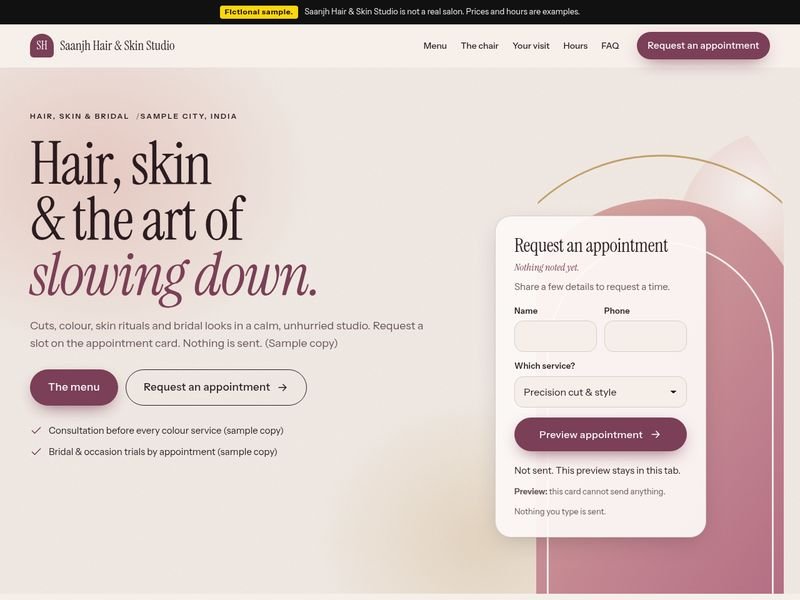 Salon · fictional sample
Saanjh Hair & Skin Studio demo website (opens in a new tab)
Sample City, India. Not a real business or client.
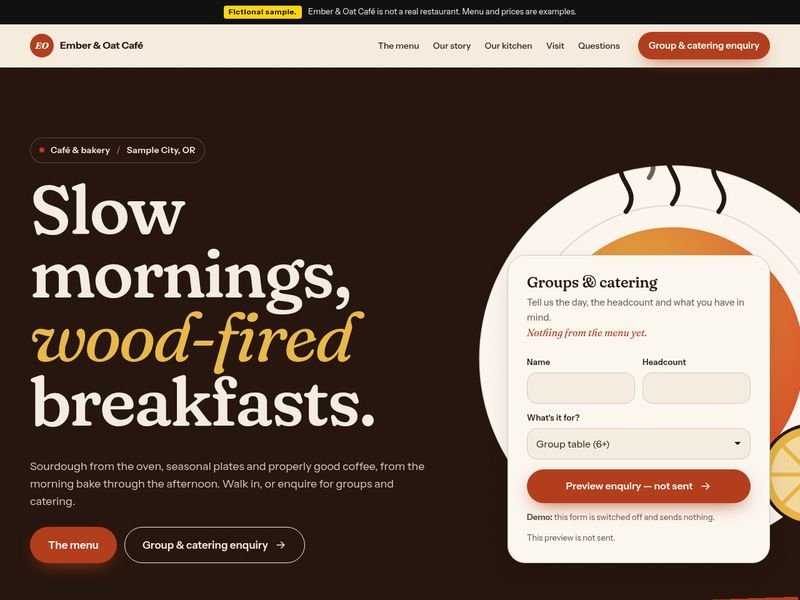 Café · fictional sample
Ember & Oat Café demo website (opens in a new tab)
Sample City, OR. Not a real business or client.
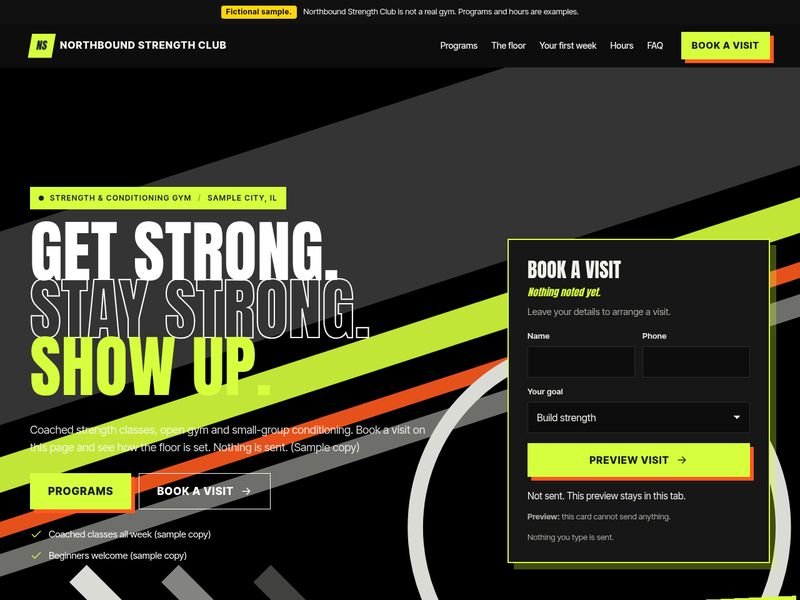 Gym · fictional sample
Northbound Strength Club demo website (opens in a new tab)
Sample City, IL. Not a real business or client.
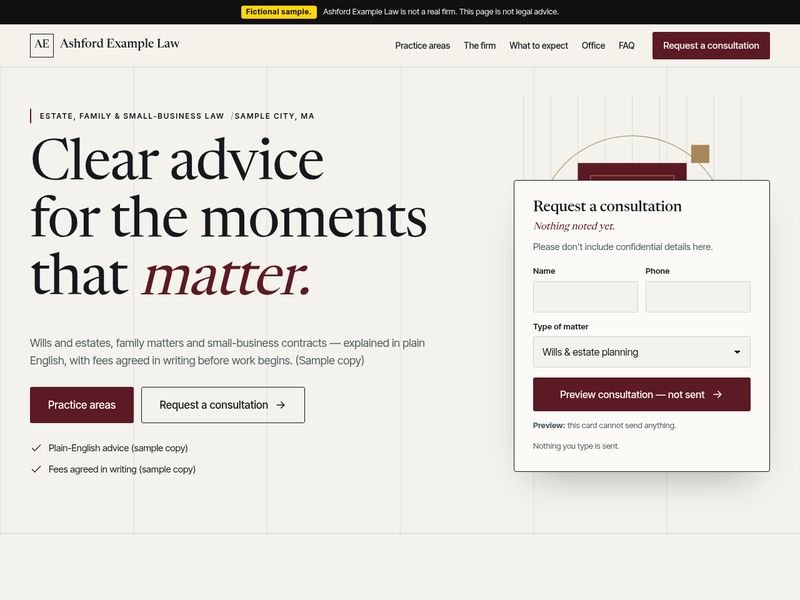 Law · fictional sample
Ashford Example Law demo website (opens in a new tab)
Sample City, MA. Not a real business or client.
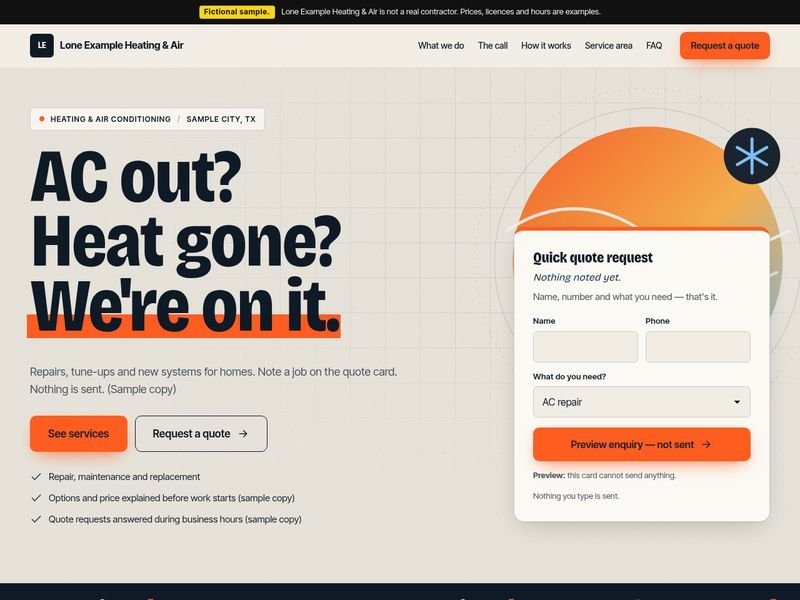 Heating & air · fictional sample
Lone Example Heating & Air demo website (opens in a new tab)
Sample City, TX. Not a real business or client.
All five are fictional samples. Names, places and details are made up.
Partnerships
Build something together.
Agencies, consultants and technology teams who work with local service businesses: tell us what you have in mind.
- Referral partnersYou know businesses that need a better website or smoother workflows.
- Agencies and consultantsYou want a dependable build and automation partner for your clients.
- Technology and integrationsYour product fits the tools local service businesses already use.
- Prefer email?Write to partners@mendrev.com.